AutoIntel — One screen for the German used-car market instead of five marketplace tabs
AutoIntel is a B2B platform for a used-car business in Germany. It gathers listings from several German car marketplaces into one workspace, puts them into the same shape, and lets the team filter, sort and shortlist the offers worth a call. We designed the product and built the interactive prototype the client uses to align the team and scope the build.
Challenge
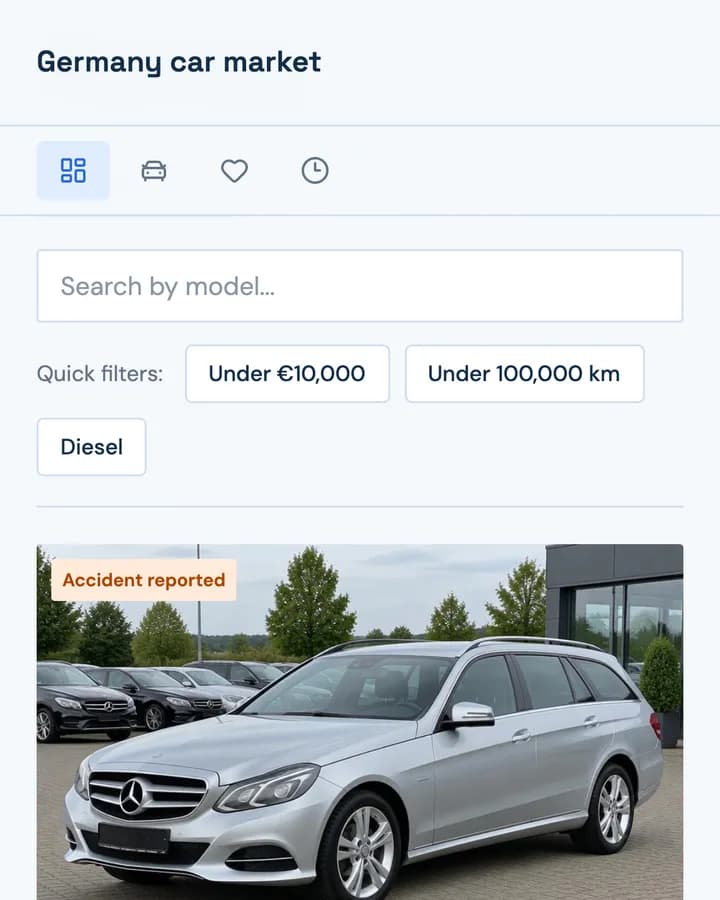
Buying cars for resale in Germany means watching several marketplaces at once. Each shows the same car differently: power in kW on one site and hp on another, the condition in a free-text line, the seller buried under the photos. A buyer ends up with a dozen tabs open and no way to compare two offers side by side, and a good deal is gone by the time it has been spotted. The client did not need another marketplace. They needed one place where every listing reads the same way and the decision takes seconds.
Approach
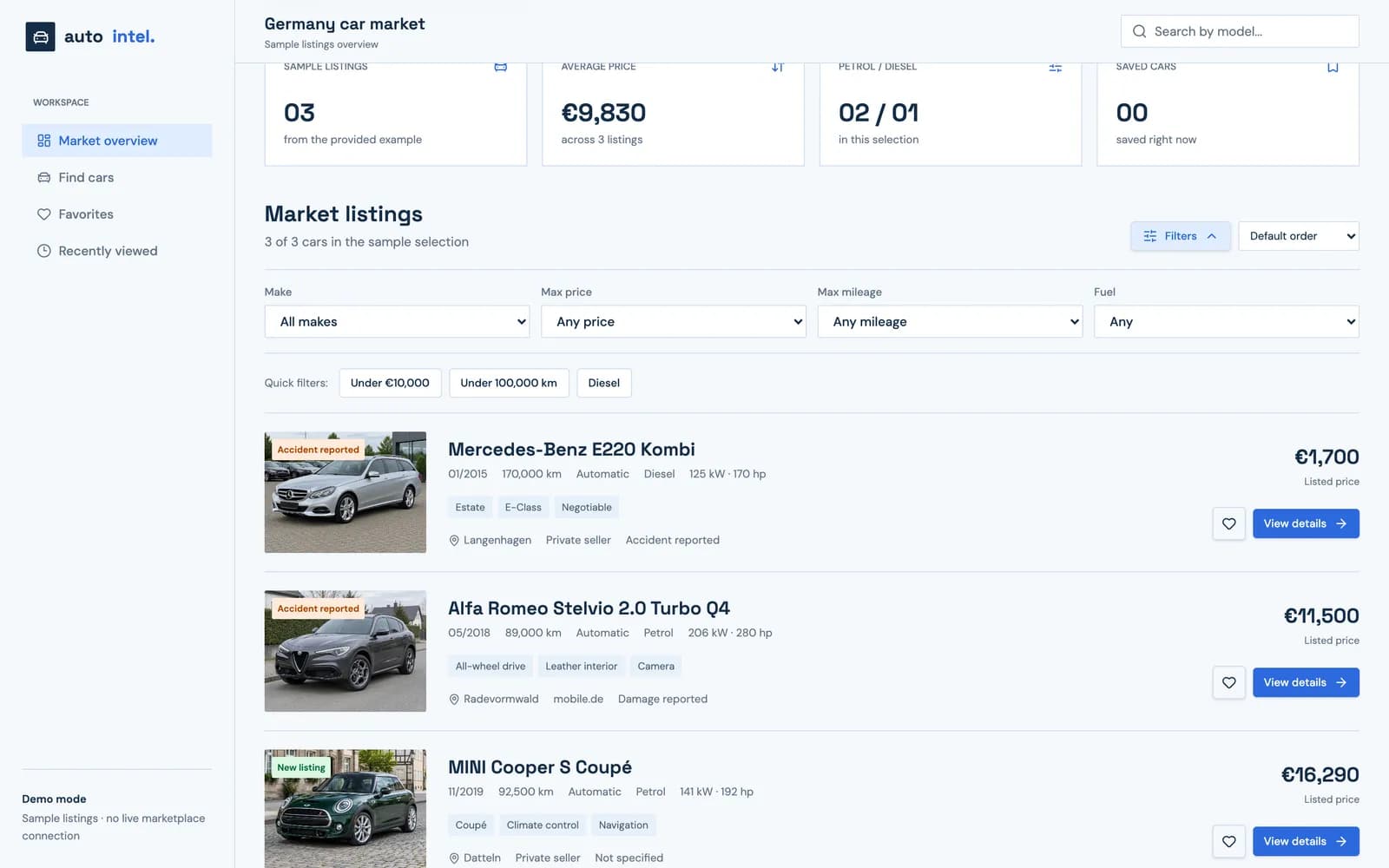
We designed AutoIntel as a working tool rather than a storefront. A market overview with four numbers sits on top, a single normalised list sits under it, and every listing card answers the same questions in the same order: what the car is, what it costs, what condition it is in and where it comes from. Filters, sorting and favourites are one click away, never hidden in a separate search page.
A workspace, not a storefront
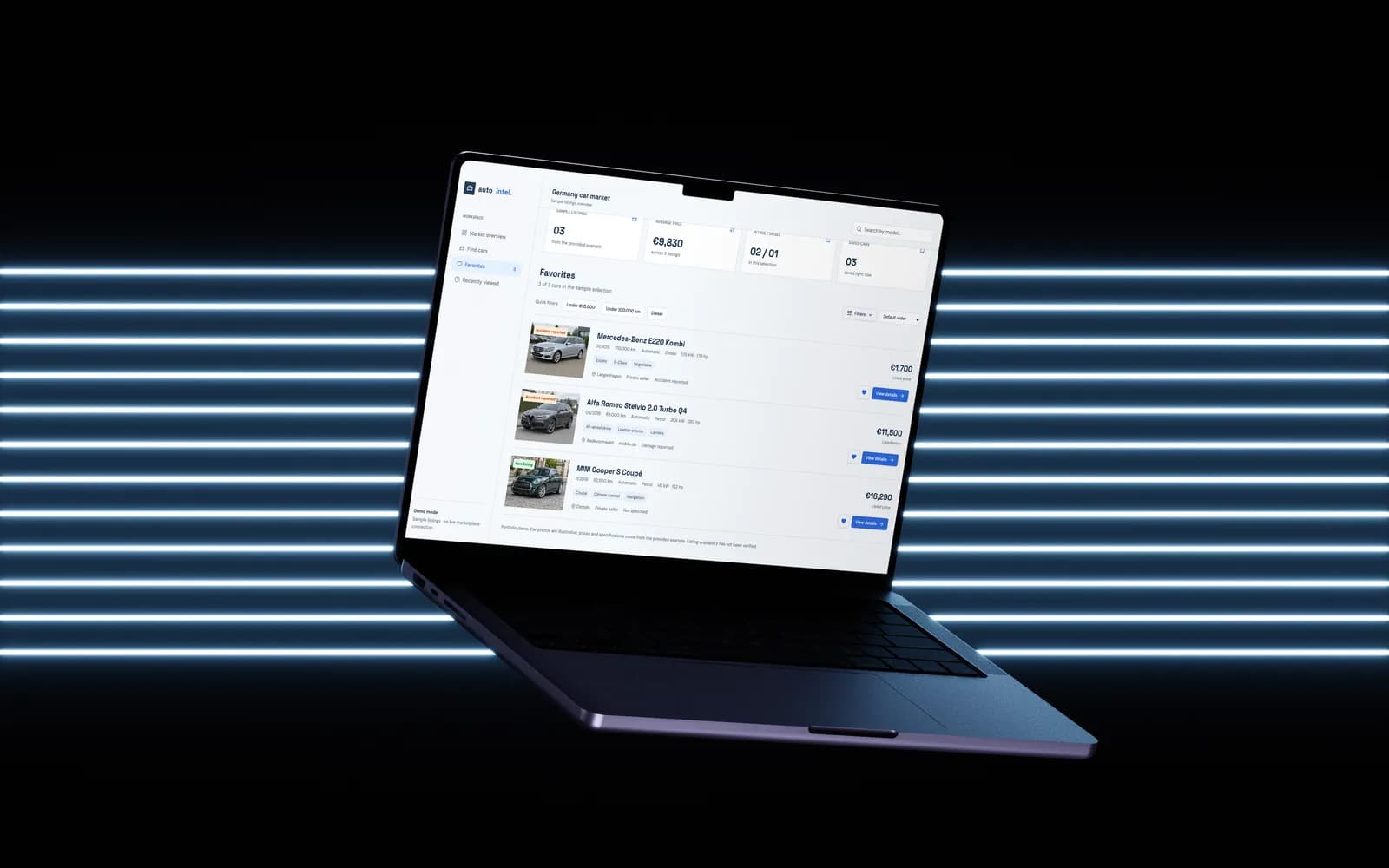
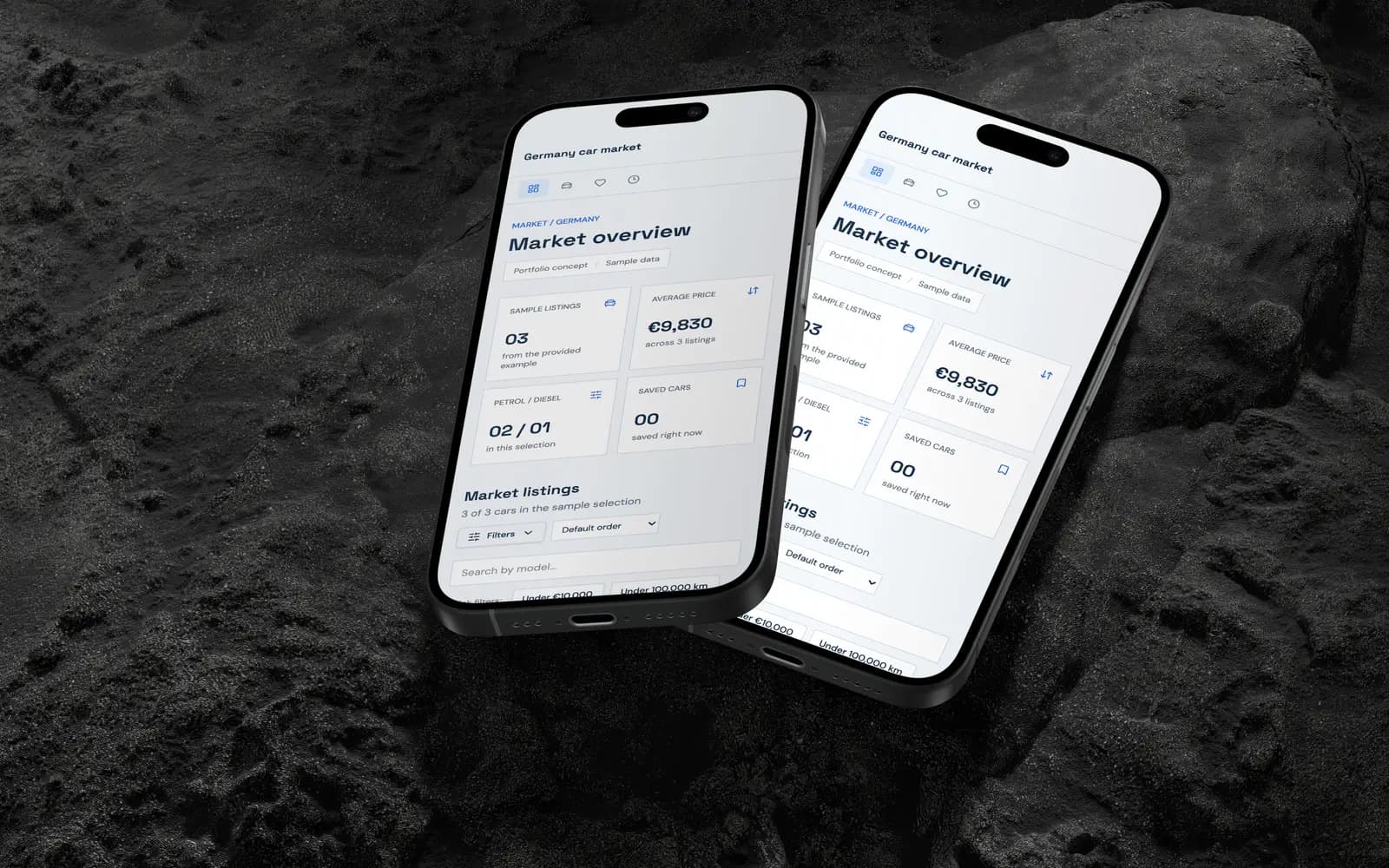
AutoIntel opens on the market overview, not on a search form. Four cards sum up the current selection before anyone scrolls: how many listings there are, the average price, the petrol/diesel split and how many cars the team has saved. For a buyer, that is the question behind every session: what has changed in the market since I last looked?
The sidebar holds the four places a buyer actually moves between:
- Market overview with the numbers and the full list.
- Find cars for a focused search.
- Favorites for the shortlist.
- Recently viewed so nothing seen yesterday has to be found again.
One shape for every listing
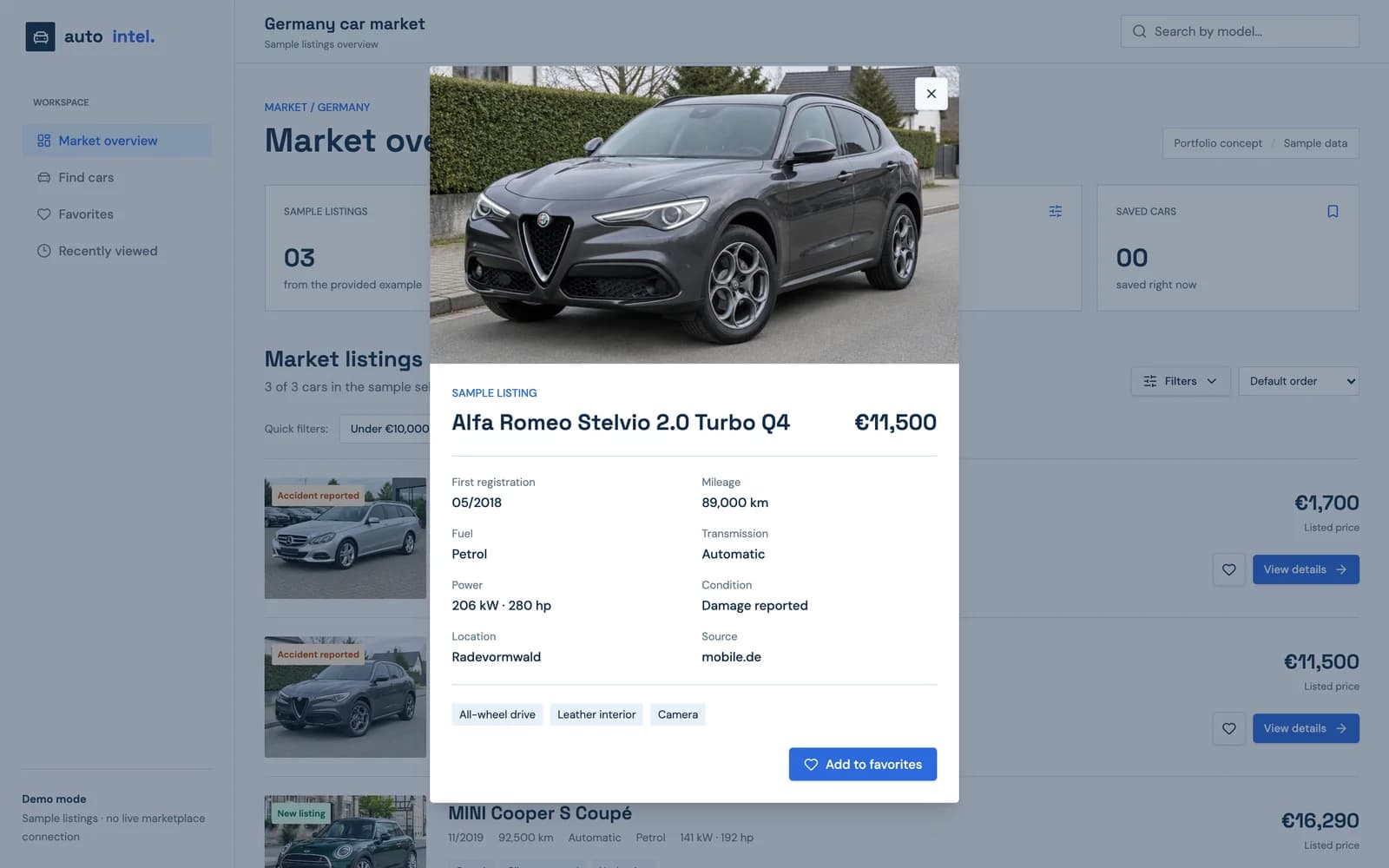
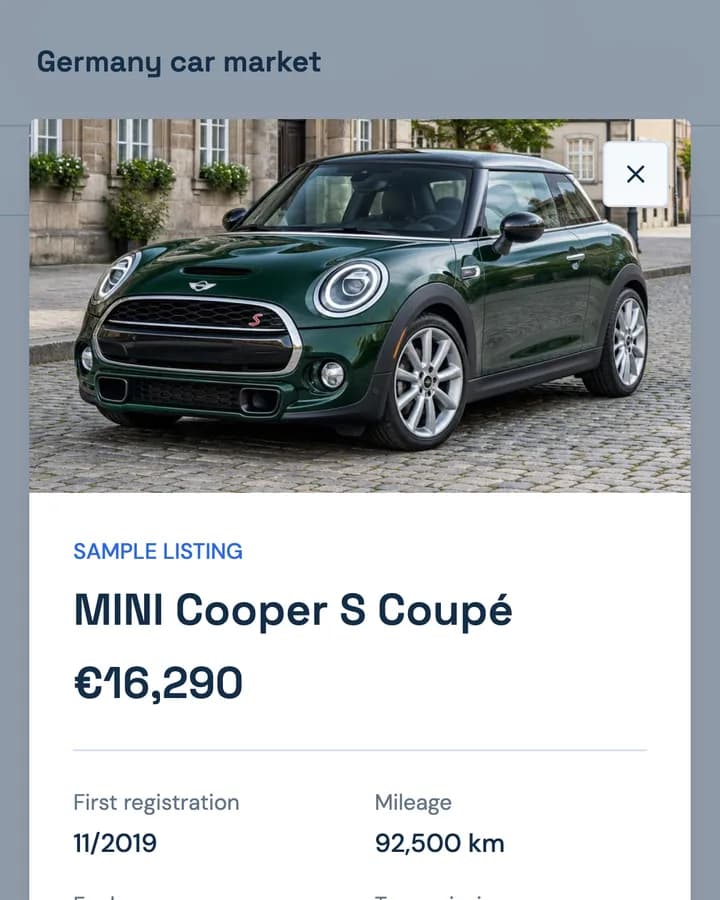
The core of the platform is normalisation. A listing from a marketplace and one from a private seller arrive in different formats; AutoIntel brings both to the same card. The make and model come first, then a fixed row of facts in the same order every time:
- first registration as month and year;
- mileage in kilometres;
- transmission and fuel;
- power in kW and hp together, because German listings use kW and many buyers still think in horsepower.
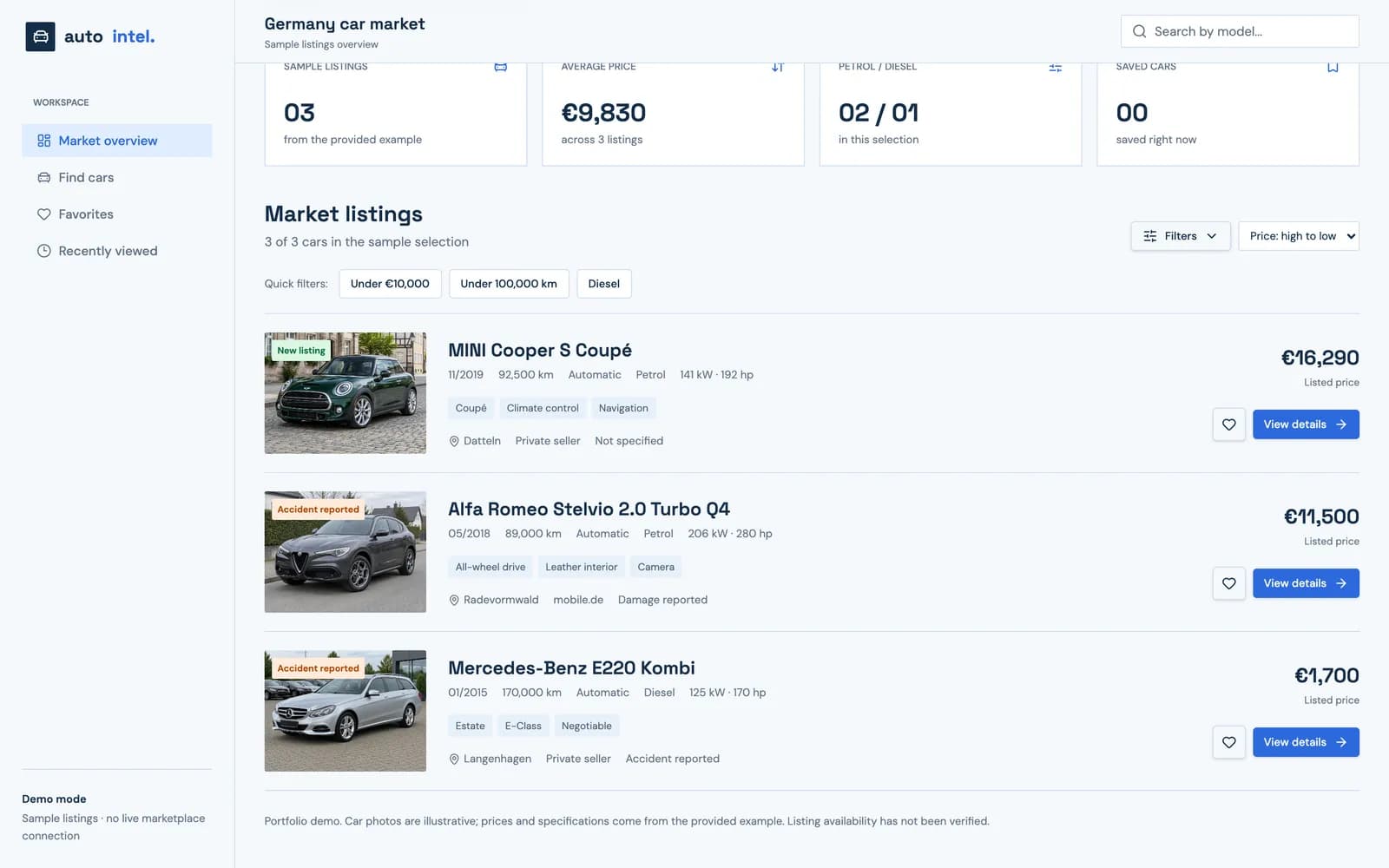
Equipment such as all-wheel drive, a leather interior or navigation becomes short tags. The location and the source (a marketplace such as mobile.de, or a private seller) sit on the bottom line, and the listed price is on the right, where the eye ends up anyway.
Condition as a first-class field
For resale, the most expensive detail is the one a listing mentions in passing. So condition is not buried in the description: it is a badge on the photo and a field on the card. We kept the difference between "Accident reported", "Damage reported" and "Not specified", because those are three different risks, and flattening them into one "damaged" flag would hide exactly what the buyer needs to know. New listings get their own badge so fresh offers stand out.
Filters that match how buyers think
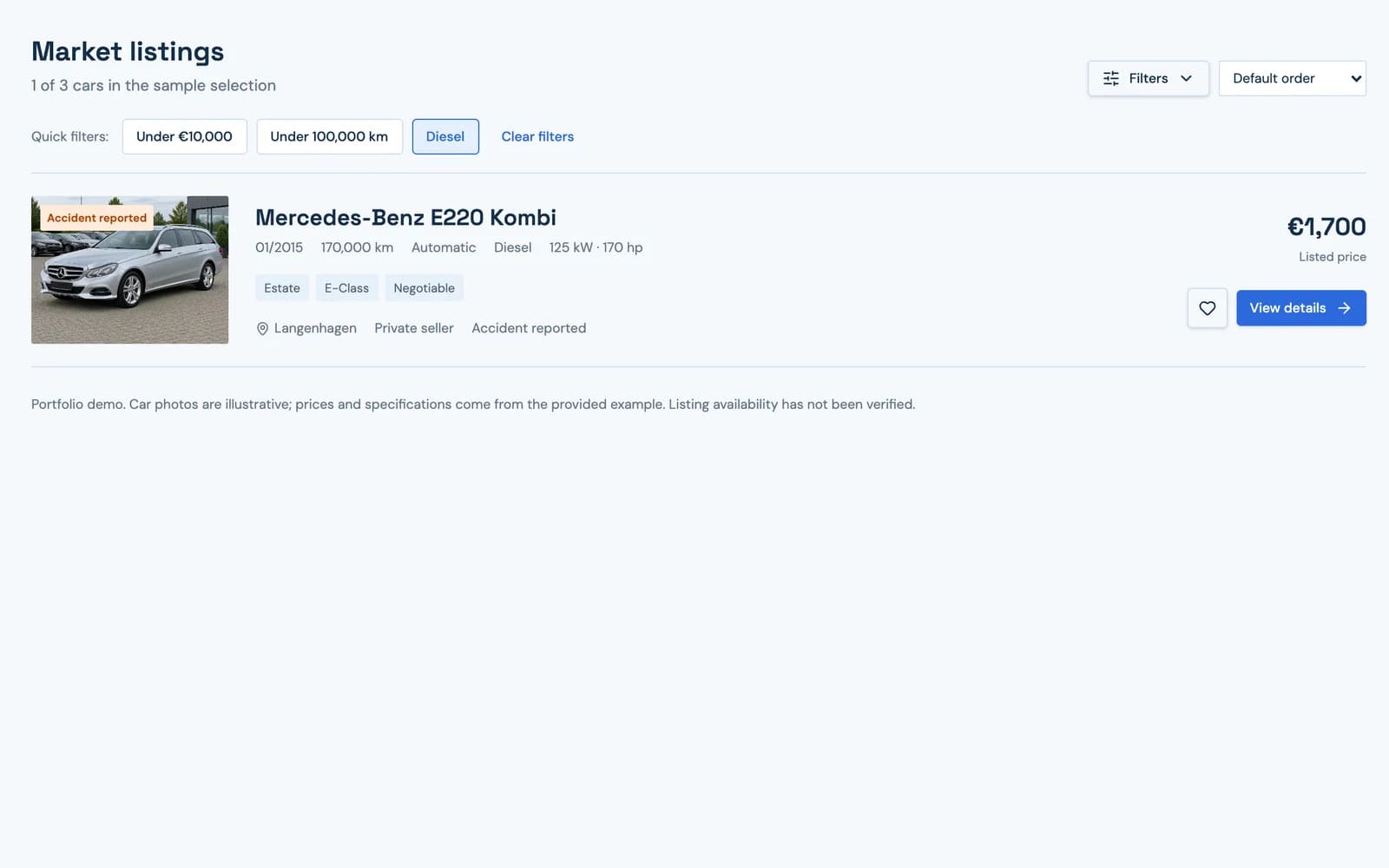
Buyers work with limits, not with forms. The three most common ones are quick filters above the list: under €10,000, under 100,000 km, diesel. One click applies each, and a "Clear filters" link appears only when something is active.
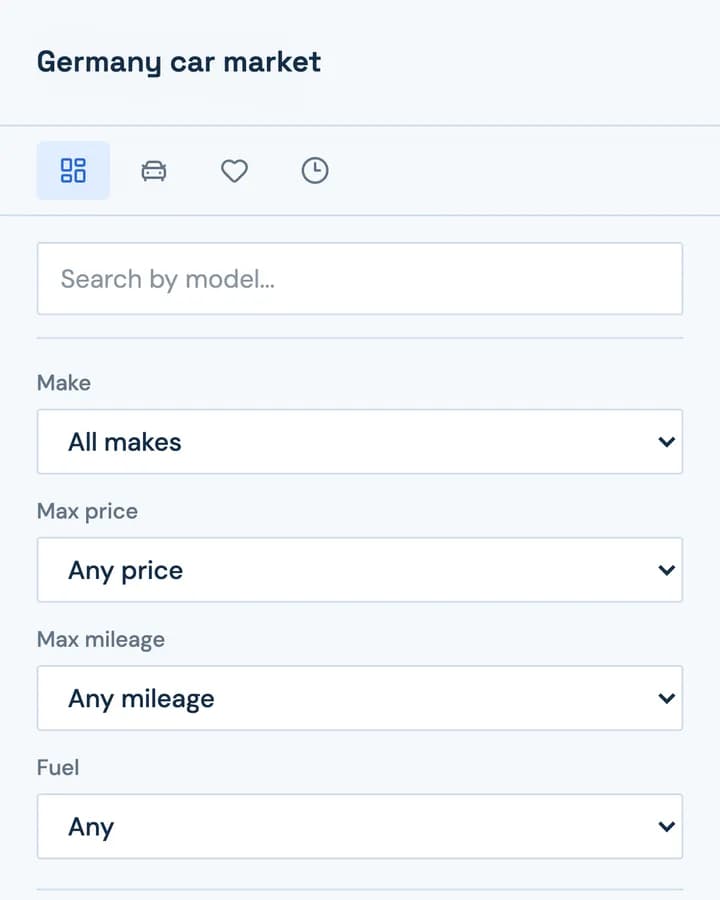
For anything more specific, the Filters panel adds make, maximum price, maximum mileage and fuel, and sorting covers the orders that matter in trading: price low to high, price high to low and lowest mileage. A search box in the header finds a model directly.
When a combination returns nothing, the empty state says so plainly and offers one way back: show all.
A shortlist the team shares
A heart on every card saves the car to Favorites, and the saved-cars counter in the overview updates at once. The shortlist is what the team discusses before calling a seller, so it keeps the full card, not a bare link. Recently viewed does the same for everything opened in the detail panel.
On a phone at the car lot
Buyers look at listings on the move, often standing next to another car. On a phone, the sidebar becomes a row of four icon tabs, the overview numbers fold into a two-by-two grid, and every listing card keeps its full order of facts. The detail panel opens full-screen with the favourite button within thumb reach.
Why a prototype first
The platform's value depends on data it collects from other sites, so we started with the part the team would live in every day: the workspace. The interactive prototype runs on a small set of sample listings and says so on screen, which let the client walk through the flow with their team, settle which fields and filters matter, and scope the data pipeline around what the interface actually needs.
The interface decides which data is worth collecting. Designing it first kept the pipeline from growing fields nobody looks at.
How we work on products like this
AutoIntel combines our product design with web development. For a consumer-facing product in the same industry, see CarPixly, an AI photo studio for car listings. If you are weighing up who should build your internal tool, our guide to choosing a development agency covers what to ask. Have a similar platform in mind? Tell us about it.
What shipped
- Market overview with listings count, average price, fuel split and saved cars
- Normalised listing card: registration, mileage, transmission, fuel, kW and hp, location, source
- Condition badges that keep accident, damage and unknown apart
- Quick filters, a filter panel for make, price, mileage and fuel, and trading-focused sorting
- Favourites and recently viewed, with a responsive layout for phone and tablet
Frequently asked
It gathers used-car listings from German marketplaces into one workspace, shows each in the same format, and lets a team filter, sort and shortlist offers.
A business that buys and resells used cars in Germany, where buyers need to compare many listings quickly and act on good offers before they disappear.
German listings state power in kW, while many buyers still think in horsepower. Showing both removes a conversion from every comparison.
They carry different risks and different repair costs. Merging them into one flag would hide the detail that matters most in a resale decision.
The case covers the product design and an interactive prototype that runs on sample listings. It is a private B2B tool, so there is no public link.
Inside the site
“We used to have ten tabs open and still missed the good cars. Sakura turned that into one screen where every listing looks the same, and the prototype made it easy to agree internally on what the platform really needs.”