Telegram Mini Apps for Business: What They Are, What They Cost, and When They Beat a Mobile App

Tech Lead
A Telegram Mini App is a web app that opens inside Telegram in one tap, with no install and no sign-up. It usually costs and takes about as much as a simple or mid-complexity web product, and far less than a native app for iOS and Android.
It beats a mobile app when your customers already talk to you in Telegram and the job is short: ordering, booking, paying or checking a status. It loses when people need long sessions, offline work or deep access to the phone.
This guide explains what a Mini App can do, how payments work, what drives the cost and how to tell whether it fits your business.
Key takeaways
- A Mini App is a web app inside Telegram: it opens from a chat, a button or a link, and uses the person's Telegram account.
- It suits short, repeatable jobs such as ordering, booking, loyalty, support and internal tools.
- Physical goods can be paid through regular payment providers; digital goods and services must be sold in Telegram Stars.
- Most business Mini Apps fall into the simple or mid tier of a web product's budget and timeline.
- A Mini App does not replace a website for search visibility, so plan the two together.
What is a Telegram Mini App?
A Mini App is a JavaScript web application that runs inside Telegram. In Telegram's own documentation, Mini Apps "can completely replace any website".
Because it is built with web technologies, one codebase serves Telegram on iOS, Android and desktop. The app receives the user's Telegram identity and current color theme, so it can greet people by name and match light or dark mode without a sign-up form.
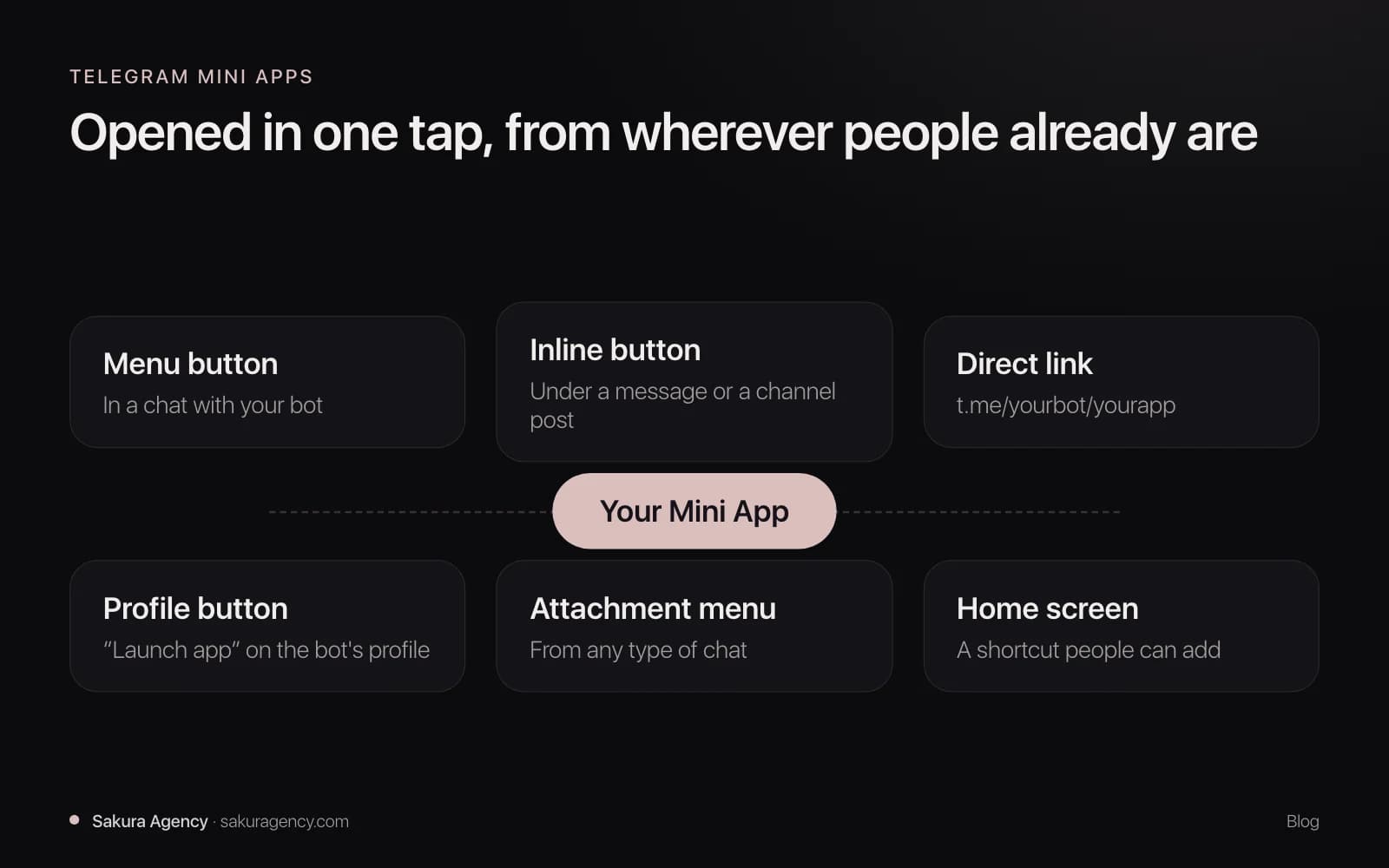
People can open a Mini App in several ways:
- From the menu button in a chat with your bot.
- From an inline button under a message, for example in your channel.
- From a direct link you share anywhere, in the format t.me/yourbot/yourapp.
- From the attachment menu or a Launch app button on the bot's profile.
- From a home screen shortcut that people can add for quick access.
What can a Mini App do for a business?
Mini Apps work best for short, repeatable jobs that people already want to do from their phone. The most common ones we see:
- Stores and catalogs. Browse products, add to cart, pay and track the order without leaving Telegram.
- Bookings. Pick a service, a time and a specialist, then get reminders from the bot.
- Customer accounts and loyalty. Points, order history and personal offers, tied to the Telegram account.
- Lead forms and quotes. A guided form instead of a long chat, with answers sent straight to your CRM.
- Internal tools. Simple dashboards, approvals or field reports for a team that already uses Telegram.
For example, a coffee chain with an active Telegram channel can let followers order ahead from a button under each post. A B2B supplier can give its regular buyers a reorder screen that remembers their last order.
The platform also gives you more than a web page would. Mini Apps can go full-screen, store data in the cloud for each user, request geolocation and use biometric confirmation where the device supports it.
How is a Mini App different from a bot and from a mobile app?
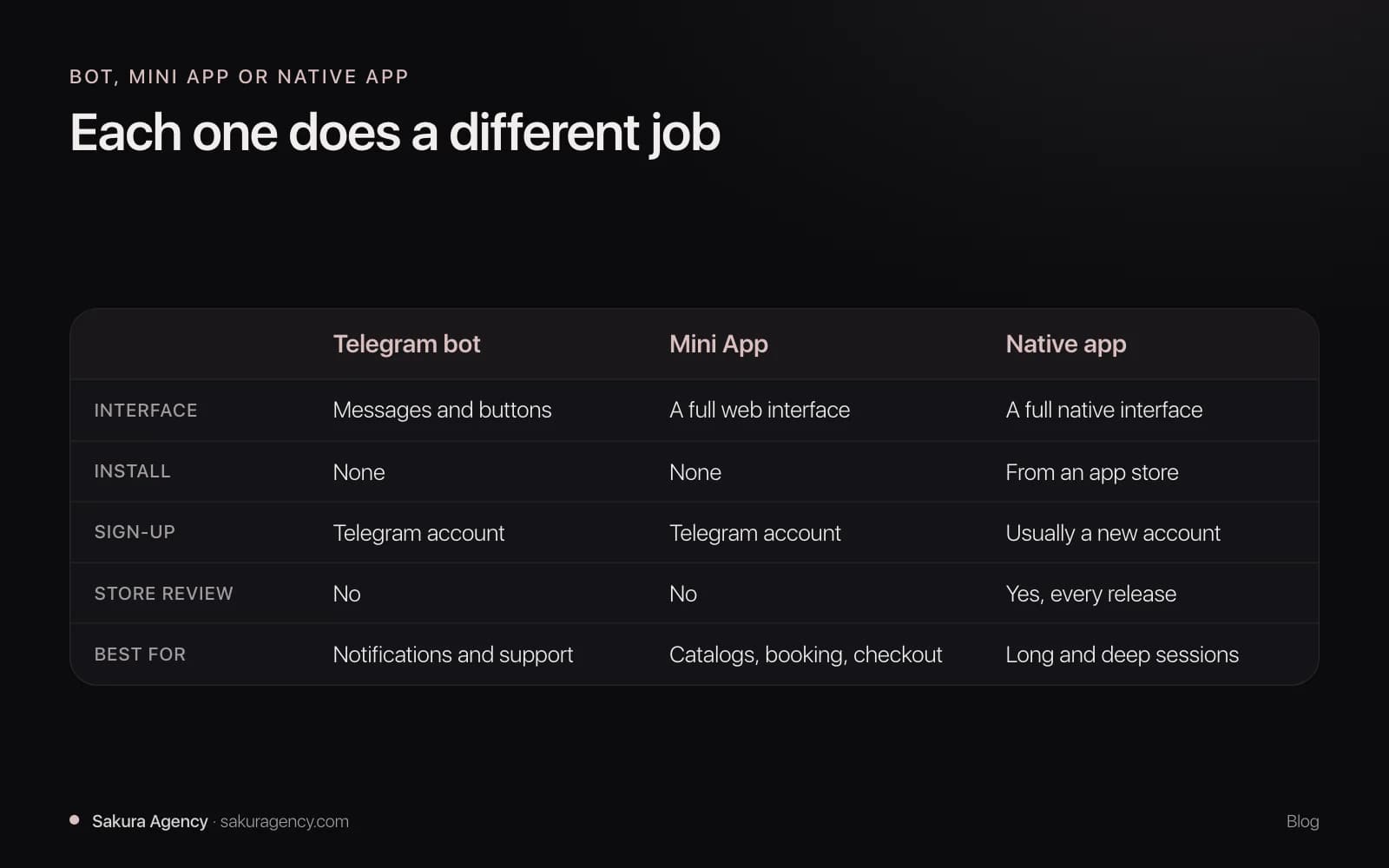
A bot talks; a Mini App shows an interface. A native app does more, but asks much more from the user before the first order.
| Telegram bot | Telegram Mini App | Native mobile app | |
|---|---|---|---|
| Interface | Messages and buttons | A full web interface inside Telegram | A full native interface |
| Install | None | None | From the App Store or Google Play |
| Sign-up | Telegram account | Telegram account | Usually a separate account |
| Best for | Notifications, simple requests, support | Catalogs, forms, booking, checkout | Long sessions, offline use, deep device features |
| Store review | No | No | Yes, for every release |
| Platforms from one codebase | All Telegram apps | All Telegram apps | Depends on the stack |
In practice, a bot and a Mini App work together. The Mini App handles the interface, and the bot sends confirmations, reminders and status updates.
How do payments work in Telegram Mini Apps?
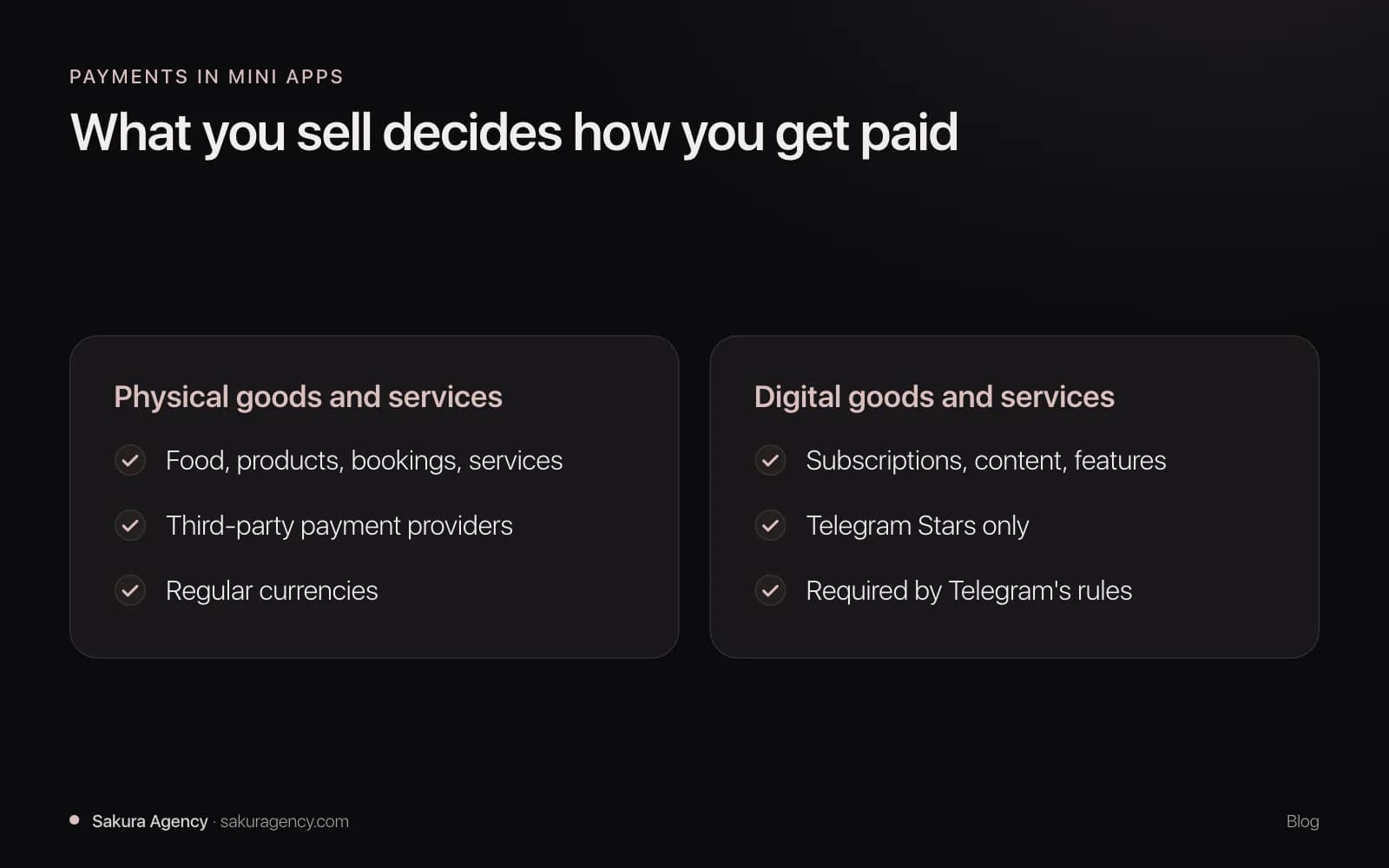
The rules depend on what you sell. Telegram's payments documentation separates physical and digital goods:
- Physical goods and services, such as food, products or a haircut, can be paid through third-party payment providers and in regular currencies.
- Digital goods and services, such as subscriptions, in-app content or access to features, must be sold exclusively in Telegram Stars.
Telegram explains the second rule as a matter of app store compliance. If a Mini App sells digital goods through other payment methods, Telegram cannot show it to mobile users.
For physical goods, choose the provider that works in your country and for your audience. We wire it in as part of the project and test declined payments, refunds and confirmations, not just the happy path.
What does a Telegram Mini App cost?
Mini Apps are priced like any web product: by the number of core flows, the integrations and the admin tools behind them. The interface runs inside Telegram, but the backend, the database and the admin panel still have to be built.
In the cost tiers we use for web products, most business Mini Apps land in the simple or mid tier. A catalog with checkout and a bot for order updates is a typical mid-tier project; a single booking flow can stay in the simple tier. Our breakdown of what a SaaS MVP costs shows the price range for each tier.
Compared with a native app, the savings come from three places:
- One codebase for every Telegram client, instead of separate iOS and Android front ends.
- No store review for each release, so fixes reach users the same day.
- No store commission on physical goods. Native in-app purchases follow store rules; even Apple's Small Business Program charges a reduced 15% commission on paid apps and in-app purchases.
Running costs are similar to any web app: hosting, the database, payment provider fees and support after launch.
How long does it take to build a Mini App?
Timelines follow the same tiers as other web products: usually 6–8 weeks for a simple app and 8–14 weeks for a mid-complexity one. There is no app store submission, so the launch itself is quick.
The parts that take the longest are rarely the Telegram-specific ones. They are integrations with your CRM or inventory, the admin panel and payment edge cases. Our guide on how long it takes to build an MVP explains what speeds a build up and what slows it down.
Thinking about a Mini App for your business? Send us a short brief and we will tell you whether a Mini App, a bot or a website fits your case best.
Do you need a bot as well as a Mini App?
Almost always, yes. Telegram Mini Apps are launched through a bot, and the bot is also the natural channel for everything that happens after the order.
- Confirmations. The order, the booking or the payment is confirmed in the chat.
- Reminders. A message the day before an appointment reduces no-shows.
- Status updates. "Your order is on its way" arrives where the customer already is.
- Support. Questions go to the same chat instead of a separate email.
Building both as one project keeps data, design and logic in one place, instead of two vendors trying to connect their systems later.
When does a Mini App beat a mobile app?
A Mini App is usually the better first choice when most of these are true:
- Your customers already follow your channel or message you in Telegram.
- The job takes minutes: order, book, pay, check a status.
- You want people to start without installing anything or creating an account.
- You need to launch quickly and ship fixes without waiting for store review.
- You sell physical goods or services and want to take payment in the same flow.
Telegram's reach helps too. Pavel Durov said in March 2025 that the app had passed 1 billion active users, so for many audiences it is already installed and open every day.
When is a mobile app or a website the better choice?
A Mini App is not the answer to everything. Choose a native app or a website when:
- People use the product for long sessions every day, such as editing, streaming or complex dashboards.
- The product must work offline or rely on device features beyond what Mini Apps offer.
- Your audience does not use Telegram, which varies a lot by country and industry.
- You need search engines to find your offer. Search visibility comes from a website, so most businesses need both.
The strongest setups use each channel for what it does best: a website to be found, a Mini App to order or book in a tap, and a bot to keep people informed.
What makes a Mini App feel native to Telegram?
Users notice quickly when a Mini App feels like a website squeezed into a chat. A few principles make the difference:
- Flow before screens. Decide how many taps it takes to reach the goal, then design the interface around that number.
- Telegram's theme and controls. Use the user's color theme, the native main button and the back button, so the app never feels foreign.
- Short forms. The Telegram account already gives you a name; ask only for what you cannot get any other way.
- A backend built for spikes. A post in a large channel can send a big part of your audience to the app at the same moment.
The same "one action" thinking works outside Telegram too. On ProAnalizy, the first screen offers one thing, upload your lab result, with three short reassurances underneath and no account step. A Mini App screen should be just as focused.
If you want to build one, our Telegram Mini Apps service covers the app, the bot and the website as one project. Or tell us about your idea and we will start with the flow.
FAQ
- Do users need to install anything to use a Mini App?
No. A Mini App opens inside Telegram from a button, a link or a chat, and uses the person's Telegram account instead of a separate sign-up.
- Can a Mini App accept card payments?
For physical goods and services, yes, through a third-party payment provider. Digital goods and services must be sold in Telegram Stars under Telegram's rules.
- Is a Mini App cheaper than a mobile app?
Usually, yes. One web codebase serves every Telegram client, there is no store review for each release, and physical goods avoid app store commissions.
- Can a Mini App connect to my CRM or website?
Yes. The backend can sync orders, customers and inventory with your CRM, database or website, and the bot can send updates from the same system.
- Will a Mini App help my business show up in Google?
Not on its own. Search visibility comes from a website, so most businesses use a site to be found and a Mini App to order or book in a tap.
About the author
Gleb Sosnovskiy
Tech Lead at Sakura Agency. Leads engineering across web and mobile projects.